Make
Australia Passport Photo Online
Create professional Australia Passport photos compliant with official requirements instantly.
Passport
Official Australia Standard


Verified by 500k+ travelers


How to create the perfect passport photo?
In just a few simple steps, our AI system generates official-compliant passport photos for you.
1. Upload Photo
Take a photo with your phone or upload an existing one. No professional equipment needed.
2. AI Processing
Automatically crops, resizes, removes background, and optimizes biometric features.
3. Compliance Check
Smart algorithms check if the photo meets official standards (lighting, angle, expression, etc.).
4. Download & Use
Get high-quality digital photos or printable sheets for online applications or printing.
How to take a compliant passport photo at home?
Lighting is Key
Face a window to use natural light. Avoid direct sunlight to prevent shadows. Ensure even lighting on your face.
Keep Distance
Stand about 1.5m from the camera and 0.5m from the wall (to avoid shadows). Do not use selfie mode.
Correct Posture
Face the camera directly with head straight. Look at the lens with a neutral expression (no smiling or teeth visible).
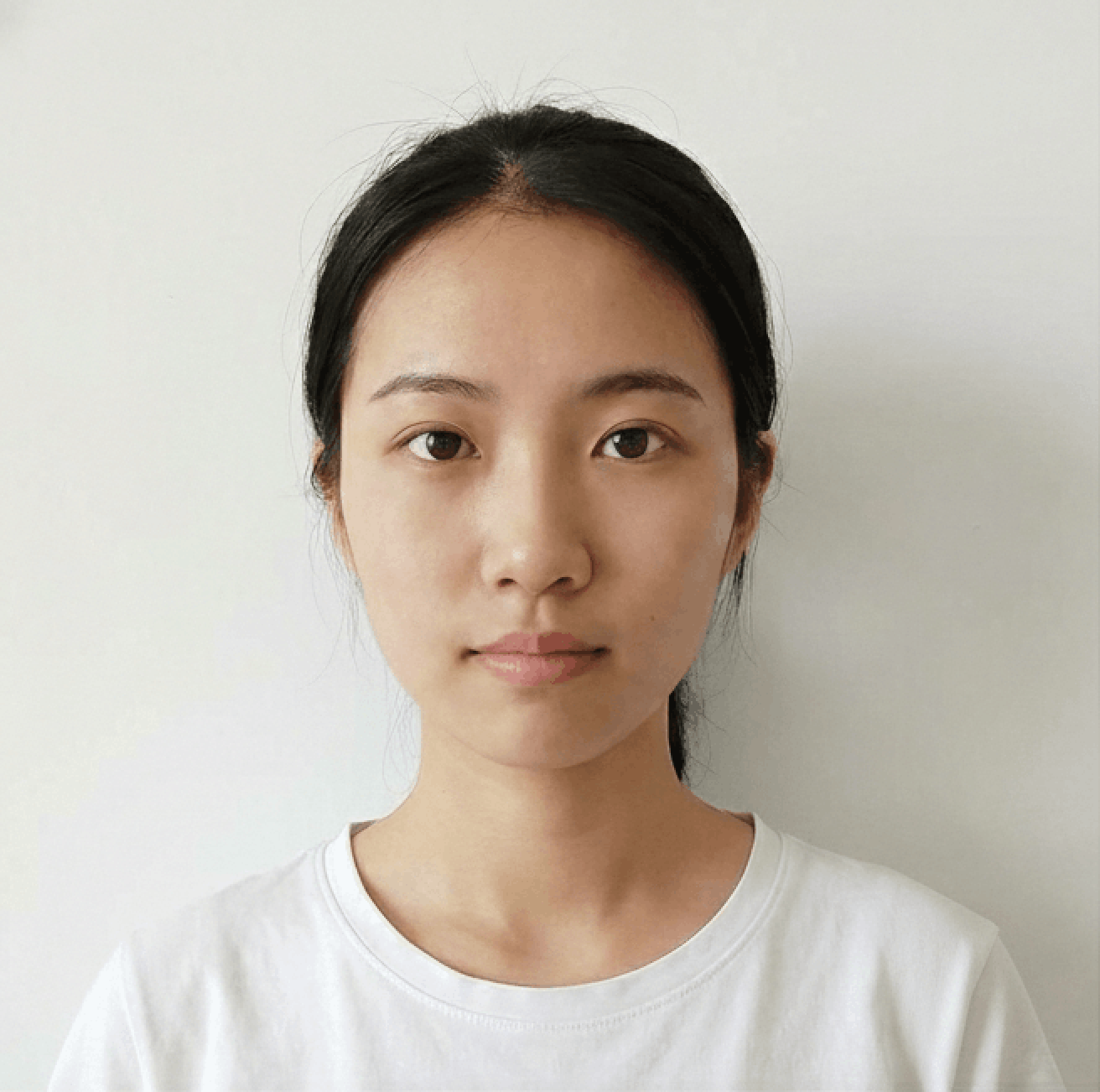
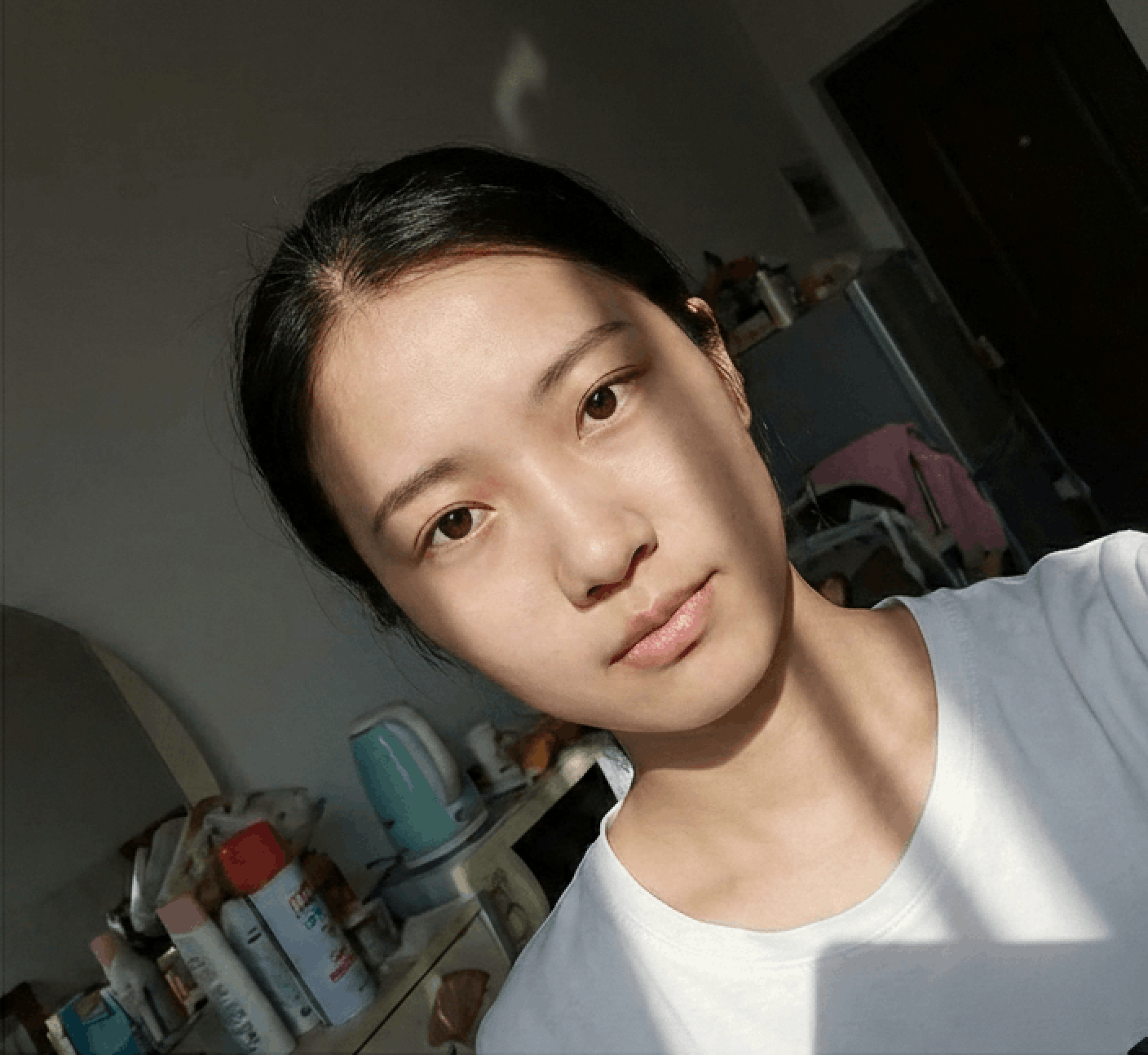
Photo Guidelines
Avoid Selfies
Selfies cause wide-angle distortion. Ask a friend to help or use a tripod/timer.
Dress Code
Wear casual daily clothes. Avoid uniforms. Dark colors contrasting with the background (usually white) are recommended.
Face Visibility
Hair must not cover eyebrows or eyes. No hats/head coverings unless for religious reasons. Glasses should generally be removed.
Common Rejection Reasons
Ensure your photo is accepted the first time by avoiding these common errors.
Bad Lighting
Uneven lighting or strong shadows on the face or background are the most common reasons for rejection.
Glasses & Glare
Glasses often cause glare or hide eyes. Most countries now recommend removing glasses entirely.
Wrong Expression
Smiling or opening mouth is usually forbidden. Maintain a neutral expression with eyes open.
Incorrect Size
Submitting a photo with wrong aspect ratio or low resolution will result in immediate rejection.
Frequently Asked Questions
Can't find the answer you're looking for? Please contact our support team.
Contact Support arrow_forwardLearn the requirements for the Australia passport photo
You must equip your passport application form with 2 (two) identical photographs taken within the last 6 (six) months.
The best way to familiarise yourself with the current AU passport requirements is to visit the government website: passports.gov.au There, you will find a list of requirements and examples of correct and incorrect passport pictures. We also have gathered all the information you need to know about AU passport photos in one place as well as our tips on how to take a perfect photograph and get 100% of guarantee of acceptance by the authorities.
Australian passport photos: technical requirements
There are specific hints about the quality of the paper (if you’re printing your picture), focal length and process of sublimation for this kind of photograph.
If you’re taking your photo using a photo camera, you should use:
- focal length of 90‐130 mm OR
- 35 mm film.
If you use a smartphone, it probably has a good camera that is able to produce high-quality photographs. You will probably need to crop, resize and adjust the background in your passport photo, but you can do it in a couple of seconds using an online cropping photo tool.
If you have your photos in digital format, you can print them, however, passport photos cannot be printed using an inkjet printer – they must be produced using dye sublimation.
When printing, you should remember that your passport photo must be high quality and in color. Only heavy‐weight, glossy prints (200 gsm minimum) are accepted. Avoid heavy-back printing.
The photo must be clear, focused and sharp, not retouched in any way (removing moles, wrinkles or scars is not allowed).
Requirements regarding Australian passport photo dimensions
The demanded dimensions for an Australian passport photo are:
- 35-40 mm in width
- 45-50 mm in height
- 32-36 mm – maximum size of the face from the chin to the top of the head.
Your entire head and neck must be visible in the picture, optionally also the upper part of the shoulders. If you’re unsure how to obtain the required view, here’s a tip:
make sure that the distance between you and the camera is between 1,20 and 2 metres. If you do not have anyone to help you, use a tripod because selfies are not allowed.
Lighting in the Australian passport picture
Flash is responsible for the “red eye” effect. The best light for taking your passport photograph is daylight. If this is impossible, just use a strong light source and make sure that your face is being illuminated evenly on both sides.
Pay attention to brightness and contrast in your photo. Remember that overexposed and underexposed photos will be automatically rejected as well as pictures with shadows or reflections.
Colours in AU passport photos
Your biometric passport photo must reflect your natural skin tone and eye color. That’s why it can’t be black and white. So make sure that you look natural in your passport photograph.
There is also a strict requirement about the background colour. It must be white or light grey – no other colors are acceptable. Moreover, the background must be uniform and there can be no other people or objects visible. Your photo cannot contain shadows or glares.
There are no requirements about clothing colours but it is not recommended to wear a shirt or headscarf (if you wear it for religious reasons) in the same colour as the background. Avoid white and light grey hair coverings to be sure that your face is clearly visible and well contrasted in the photograph.
What to wear for your AU passport picture
In terms of the dress code for Australian passport pictures, there is only one and it applies to head coverings. They must be in a solid color, free of patterns and worn only in the case of religious reasons. Other (fashion) head coverings are not allowed.
The best advice is: dress the way you like. If you put on something semi-casual or elegant, it will be the best choice. You should avoid shirts that look too casual (for example tank tops), because they could make you look naked. .
Accessories in AU passport photos
If you like pendants, necklaces and earrings, you can put them on. But be aware that a pair of massive earrings might obscure your jawline and in such a case your picture will not be accepted. We don’t recommend huge hair accessories and scarves. If you have facial jewellery, you do not need to remove it to take the photo, but the piercings cannot cast a shadow or produce a glare on your skin.
If you wear eyeglasses every day, take them off for your passport picture. If you must wear them for medical reasons, you will have to provide a medical certificate that:
- informs why you can’t remove the eyeglasses;
- is signed by a registered medical practitioner;
- includes the medical practitioner’s full name, registration number and the address and phone number of the medical practice.
If you do not take off your glasses, make sure that the frames do not obscure your pupils and do not give any reflection from the lenses. Lenses must be transparent. Sunglasses and tinted glasses are unacceptable in your Australian passport photo.
The required composition and positioning of the head in passport photos
There are some main rules you must follow to take a correct passport photo. There is no space for fortuity here. You must remember that:
- the head must positioned in the central spot of the image;
- the head must not be tilted in any direction
- you must look straight at the camera
- you must keep your mouth closed but not tightened; keep your eyes open;
- must not smile or frown;
- your whole face must be clearly visible.
For this last point make sure that:
- your head covering (if you wear one) does not cover your jawline;
- your hair is off your face;
- the edges of your face are not obscured by earrings.