Make
Japan Passport Photo Online
Create professional Japan Passport photos compliant with official requirements instantly.
Passport
Official Japan Standard


Verified by 500k+ travelers


How to create the perfect passport photo?
In just a few simple steps, our AI system generates official-compliant passport photos for you.
1. Upload Photo
Take a photo with your phone or upload an existing one. No professional equipment needed.
2. AI Processing
Automatically crops, resizes, removes background, and optimizes biometric features.
3. Compliance Check
Smart algorithms check if the photo meets official standards (lighting, angle, expression, etc.).
4. Download & Use
Get high-quality digital photos or printable sheets for online applications or printing.
How to take a compliant passport photo at home?
Lighting is Key
Face a window to use natural light. Avoid direct sunlight to prevent shadows. Ensure even lighting on your face.
Keep Distance
Stand about 1.5m from the camera and 0.5m from the wall (to avoid shadows). Do not use selfie mode.
Correct Posture
Face the camera directly with head straight. Look at the lens with a neutral expression (no smiling or teeth visible).
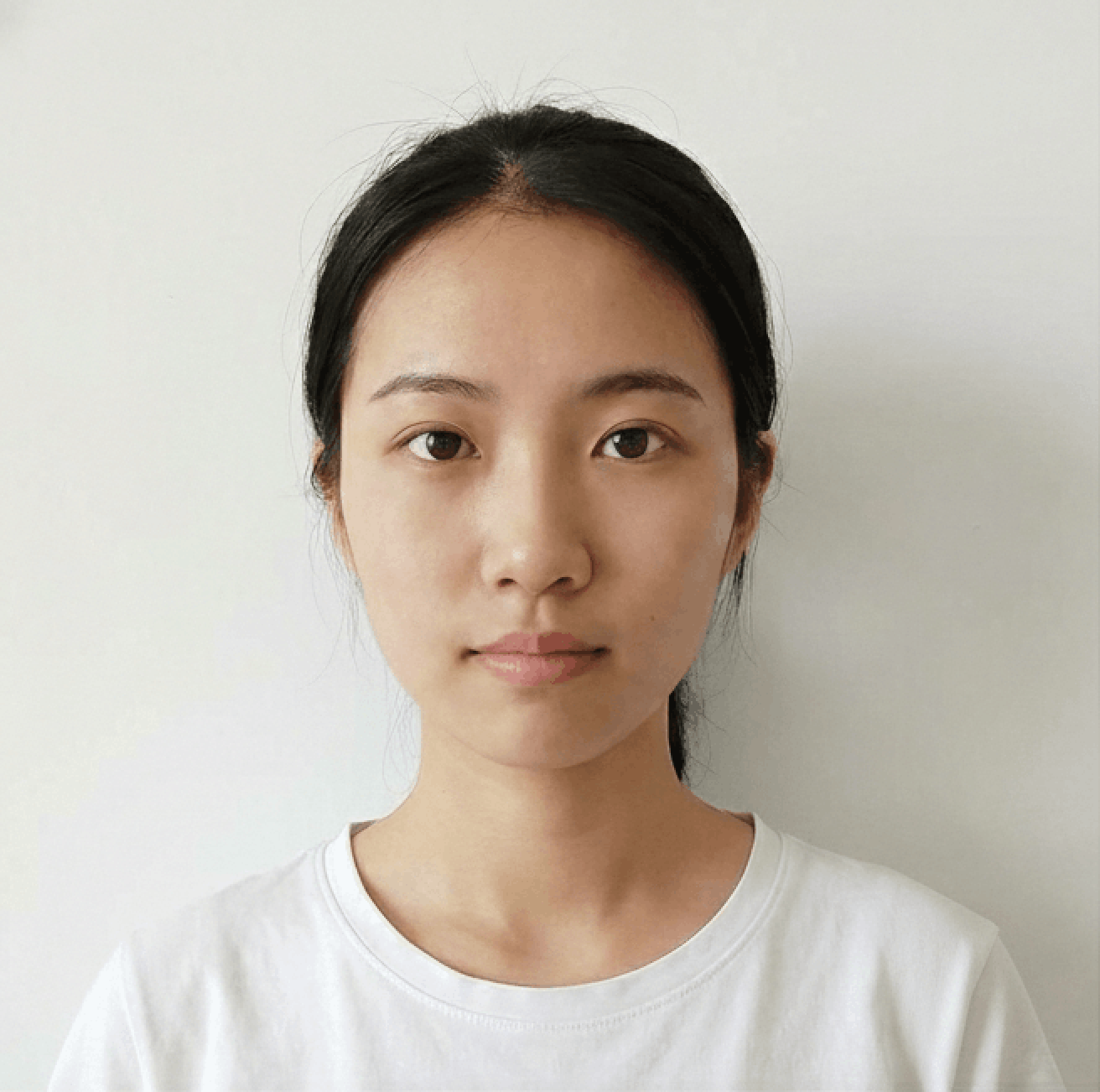
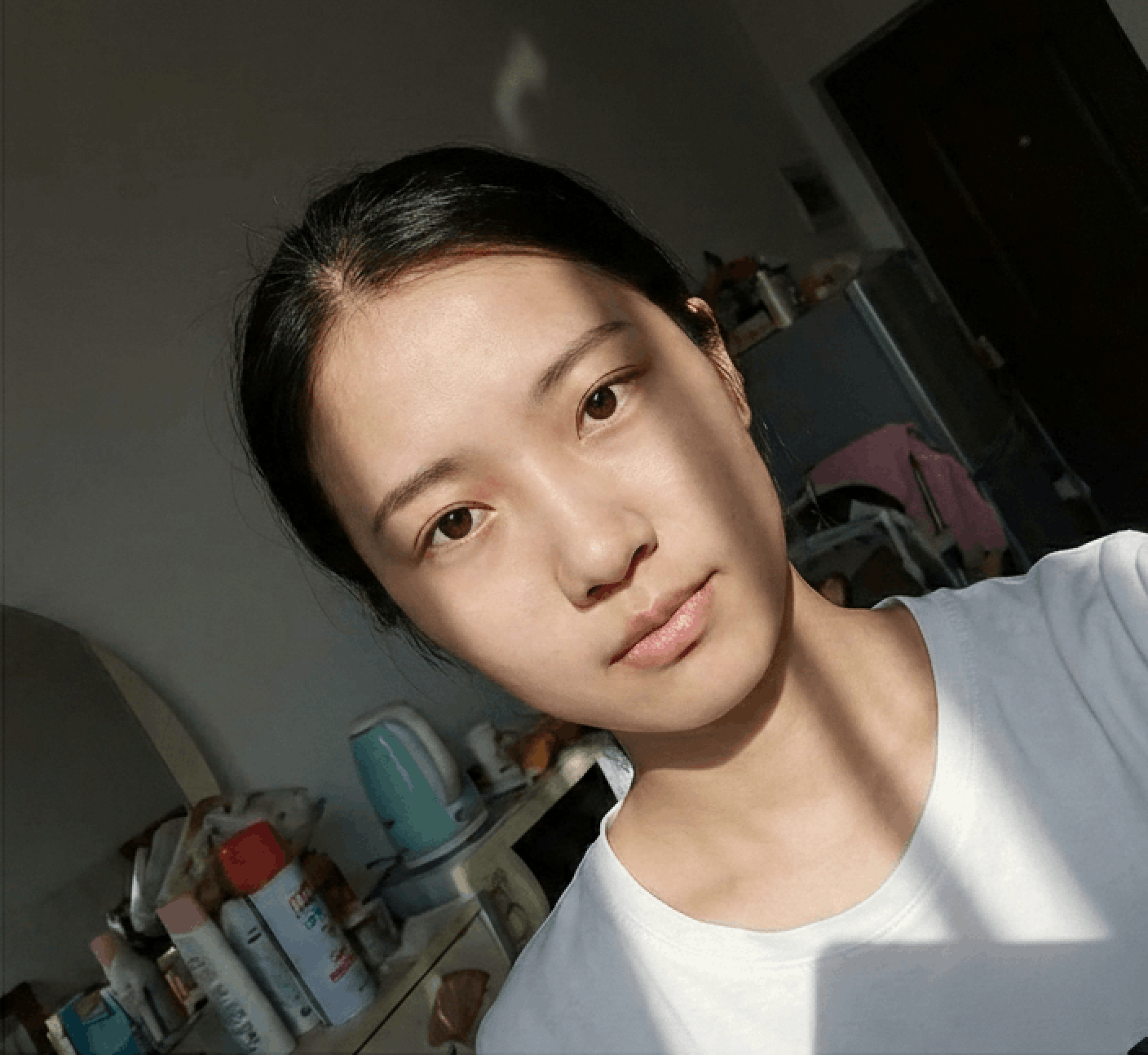
Photo Guidelines
Avoid Selfies
Selfies cause wide-angle distortion. Ask a friend to help or use a tripod/timer.
Dress Code
Wear casual daily clothes. Avoid uniforms. Dark colors contrasting with the background (usually white) are recommended.
Face Visibility
Hair must not cover eyebrows or eyes. No hats/head coverings unless for religious reasons. Glasses should generally be removed.
Common Rejection Reasons
Ensure your photo is accepted the first time by avoiding these common errors.
Bad Lighting
Uneven lighting or strong shadows on the face or background are the most common reasons for rejection.
Glasses & Glare
Glasses often cause glare or hide eyes. Most countries now recommend removing glasses entirely.
Wrong Expression
Smiling or opening mouth is usually forbidden. Maintain a neutral expression with eyes open.
Incorrect Size
Submitting a photo with wrong aspect ratio or low resolution will result in immediate rejection.
Frequently Asked Questions
Can't find the answer you're looking for? Please contact our support team.
Contact Support arrow_forwardPhoto for Japanese Passport - size and requirements
The Japanese passport is considered to be the “strongest” in the world. This means being a holder allows you to travel visa-free, or with a visa on arrival, to 192 countries and territories of the world.
We will guide you through the process of taking a perfect picture for the Japanese passport, since all you need is:
- a tablet or smartphone with a camera,
- someone to take your picture for you or a tripod (selfies are not allowed),
- an online passport photo tool or application that will make this task easier.
Requirements for a Japanese passport picture
There are standards your photo has to comply with so that a Japanese passport application can be accepted. Your picture has to be original (no cutouts from bigger pictures) and of good quality. Below there are some requirements described in more detail.
Japanese passport photo size
A picture for a Japanese passport has to be 3.5 cm (width) x 4.5 cm (height) (35 mm x 45 mm).
Photo color
Japanese passport photos can be in color or black and white.
Facial expression
Your facial expression should be neutral. In other words, you cannot smile or frown. Remember also to keep your eyes open and your mouth closed.
Frontal photo
The photo must be taken from the front, with you looking directly into the camera lens. Make sure your face isn't tilted sideways or to the left or right.
Background
The background should be completely empty and you must make sure that no objects or other people are visible. A white or light grey background color is recommended.
Recent photos
People's faces change over time, attaching old photos to your passport application will make it impossible to identify you, so pictures that are more than 6 (six) months old cannot be used when applying for a Japanese passport.
Lighting
When taking passport images, make sure there is enough light in the room, where the photo will be taken, so that there are no shadows.
Photo quality
Make sure that the photo is of high quality - it cannot be blurry. It is also advisable to print on photo quality paper. Make sure not to damage the printed photo.
Glasses and hats
Glasses (but not sunglasses or tinted glasses) are allowed in Japanese passport photos, while hats and other head coverings are only allowed for religious reasons.
Outfit
There exists no formal requirements concerning your attire in a Japanese passport picture, except this one: uniforms and clothes that potentially resemble uniforms (with camouflage patterns or having insignia) are not allowed.
Avoid white tops, as they might make you blend in with the background, as well as big accessories such as earrings or headbands that could potentially cover any part of your face.
Photos for the Japanese passport - common mistakes
If you want assurance that you are well prepared for taking a passport picture for your Japanese travel document, take a moment to read our list of the most common mistakes made when taking passport photos.
What people often get wrong when taking passport pictures is:
-
choosing the wrong size and format Getting the size of your passport photo wrong is probably the most common mistake. A Japanese passport image needs to be 35 x 45 mm in size.
-
poor photo quality Often, passport photos are damaged when they are printed. Do not use images that are blurry, pixelated, or damaged.
-
unnatural facial expression Another common mistake is having the wrong facial expression. Do not smile or frown in passport photos. You need to maintain a neutral expression with your eyes open and mouth closed.
-
using a photo that is not recent Japanese passport photos must be recent, no more than 6 (six) months old.
-
using a photo that is not a biometric passport image A Japanese passport photo has to comply with biometric standards, such as looking straight into the camera lens, not tilting your head, or avoiding accessories.
Sources:
https://www.mofa.go.jp/mofaj/toko/passport/pass_2.html
https://www.mofa.go.jp/mofaj/toko/passport/pass_5.html
https://www.pref.osaka.lg.jp/passport/top/kihon.html