Make
France Passport Photo Online
Create professional France Passport photos compliant with official requirements instantly.
Passport
Official France Standard


Verified by 500k+ travelers


How to create the perfect passport photo?
In just a few simple steps, our AI system generates official-compliant passport photos for you.
1. Upload Photo
Take a photo with your phone or upload an existing one. No professional equipment needed.
2. AI Processing
Automatically crops, resizes, removes background, and optimizes biometric features.
3. Compliance Check
Smart algorithms check if the photo meets official standards (lighting, angle, expression, etc.).
4. Download & Use
Get high-quality digital photos or printable sheets for online applications or printing.
How to take a compliant passport photo at home?
Lighting is Key
Face a window to use natural light. Avoid direct sunlight to prevent shadows. Ensure even lighting on your face.
Keep Distance
Stand about 1.5m from the camera and 0.5m from the wall (to avoid shadows). Do not use selfie mode.
Correct Posture
Face the camera directly with head straight. Look at the lens with a neutral expression (no smiling or teeth visible).
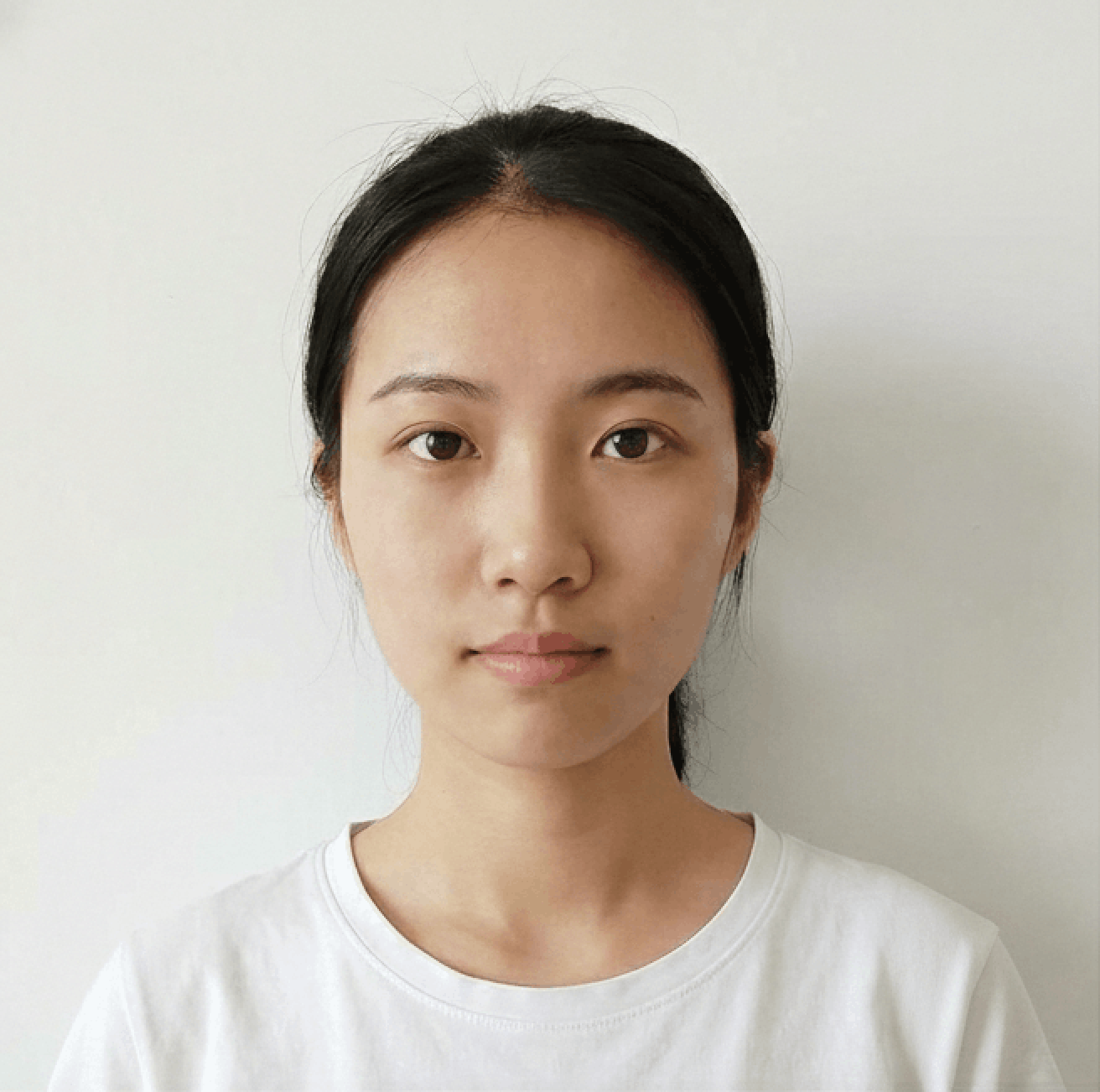
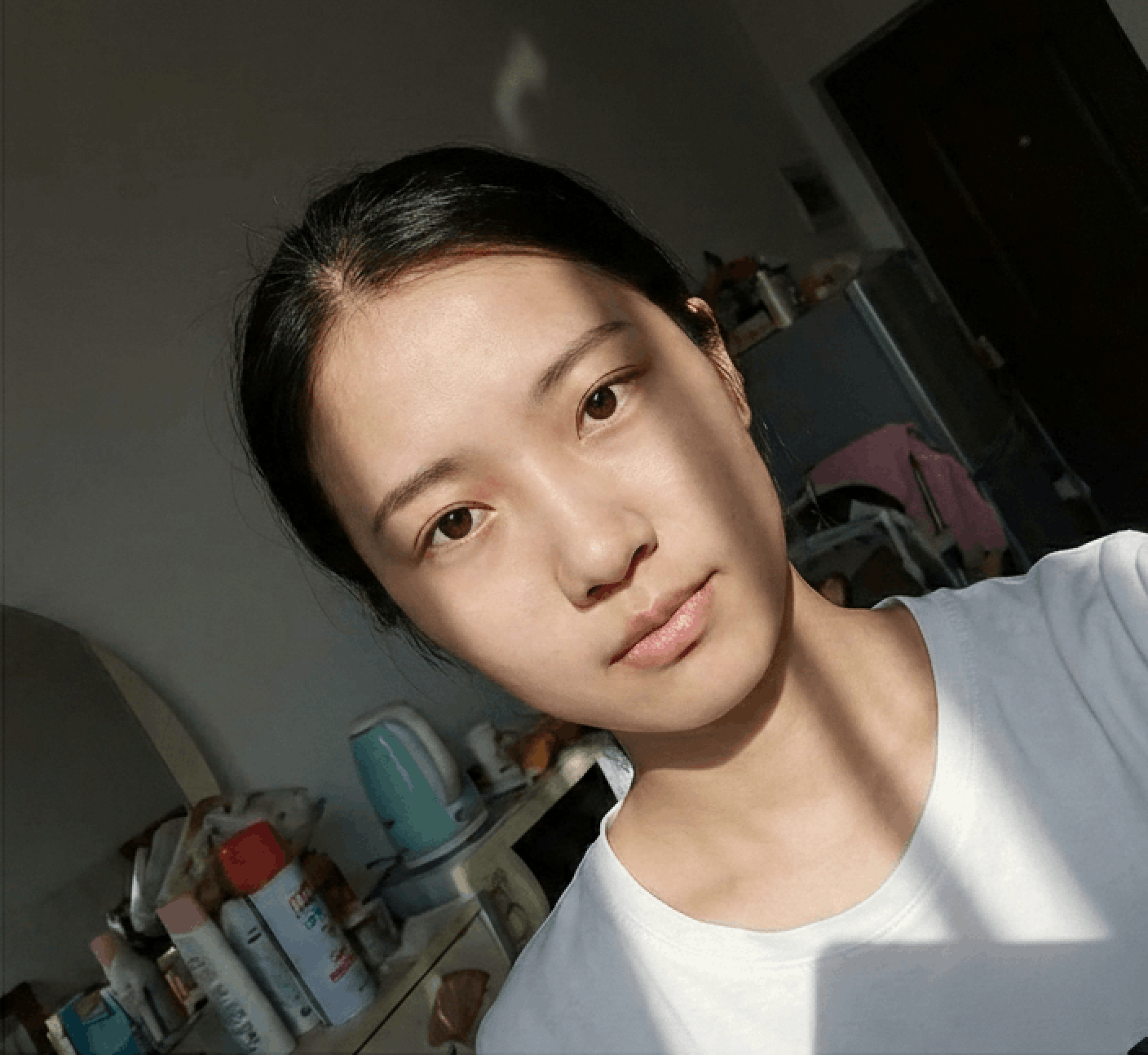
Photo Guidelines
Avoid Selfies
Selfies cause wide-angle distortion. Ask a friend to help or use a tripod/timer.
Dress Code
Wear casual daily clothes. Avoid uniforms. Dark colors contrasting with the background (usually white) are recommended.
Face Visibility
Hair must not cover eyebrows or eyes. No hats/head coverings unless for religious reasons. Glasses should generally be removed.
Common Rejection Reasons
Ensure your photo is accepted the first time by avoiding these common errors.
Bad Lighting
Uneven lighting or strong shadows on the face or background are the most common reasons for rejection.
Glasses & Glare
Glasses often cause glare or hide eyes. Most countries now recommend removing glasses entirely.
Wrong Expression
Smiling or opening mouth is usually forbidden. Maintain a neutral expression with eyes open.
Incorrect Size
Submitting a photo with wrong aspect ratio or low resolution will result in immediate rejection.
Frequently Asked Questions
Can't find the answer you're looking for? Please contact our support team.
Contact Support arrow_forwardFrench Passport Photo Requirements
To apply for a French passport, you must submit one 35mm x 45mm color photo (a black-and-white picture will be rejected) taken within the last six months. In inches, the photo must be 1,771 x 1,377.
What else do France's passport photo requirements mention? Let’s discuss.
Technical requirements
- Head size: 70–80% of the image (1,259–1,417 inches) measured from the bottom of the chin to the top of the head (excluding hair)
- Digital photo size: At least 552x709 pixels
- Background: Plain and light-colored, such as light blue or grey (not white)
- Facial expression: Neutral with the eyes fully open and mouth closed
- Posture: Keep your head straight and look directly at the lens
- Quality: Sharp, without pixelation, blurriness, or shadows
- Filters: No filters are allowed
- Resolution: 600 DPI
Additional guidelines
- Glasses: You can wear them if the frames don’t cover any parts of your eyes (avoid thick frames). The lenses must be transparent and cause no glare.
- Clothes: Choose clothes in darker colors that won’t blend with the background.
- Head coverings: Strictly prohibited, including any religious headgear.
- Hair: Your face, ears, and eyes must be fully visible. Facial hair is allowed.
- Earrings: Facial piercings and earrings are allowed if they don’t distort your facial features.
- Prints: Must be printed on high-quality matte or glossy photographic paper without creases, smears, or other damage.