Make
United Kingdom Driving Licence Photo Online
Create professional United Kingdom Driving Licence photos compliant with official requirements instantly.
Driving Licence
Official United Kingdom Standard


Verified by 500k+ travelers


How to create the perfect passport photo?
In just a few simple steps, our AI system generates official-compliant passport photos for you.
1. Upload Photo
Take a photo with your phone or upload an existing one. No professional equipment needed.
2. AI Processing
Automatically crops, resizes, removes background, and optimizes biometric features.
3. Compliance Check
Smart algorithms check if the photo meets official standards (lighting, angle, expression, etc.).
4. Download & Use
Get high-quality digital photos or printable sheets for online applications or printing.
How to take a compliant passport photo at home?
Lighting is Key
Face a window to use natural light. Avoid direct sunlight to prevent shadows. Ensure even lighting on your face.
Keep Distance
Stand about 1.5m from the camera and 0.5m from the wall (to avoid shadows). Do not use selfie mode.
Correct Posture
Face the camera directly with head straight. Look at the lens with a neutral expression (no smiling or teeth visible).
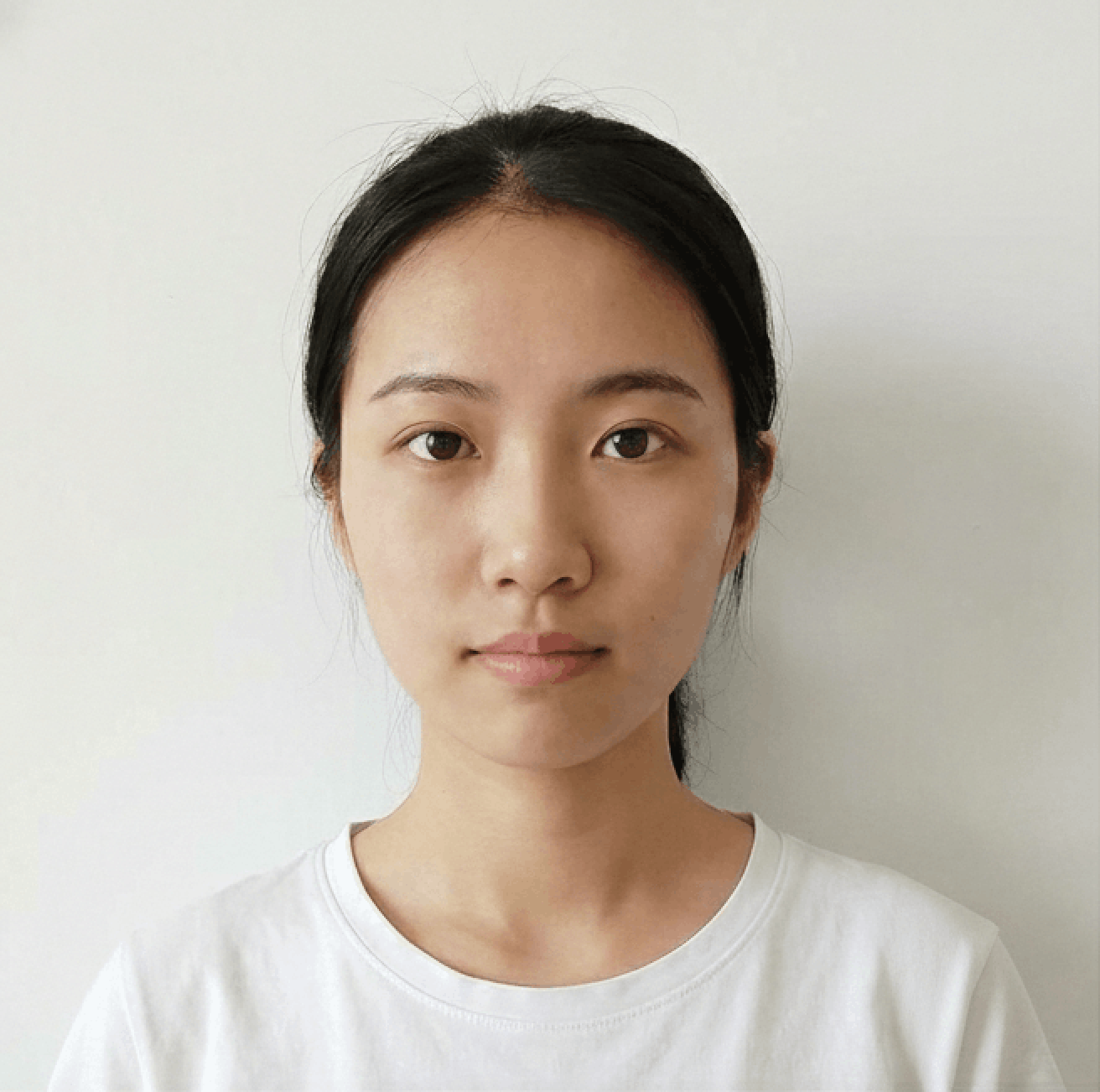
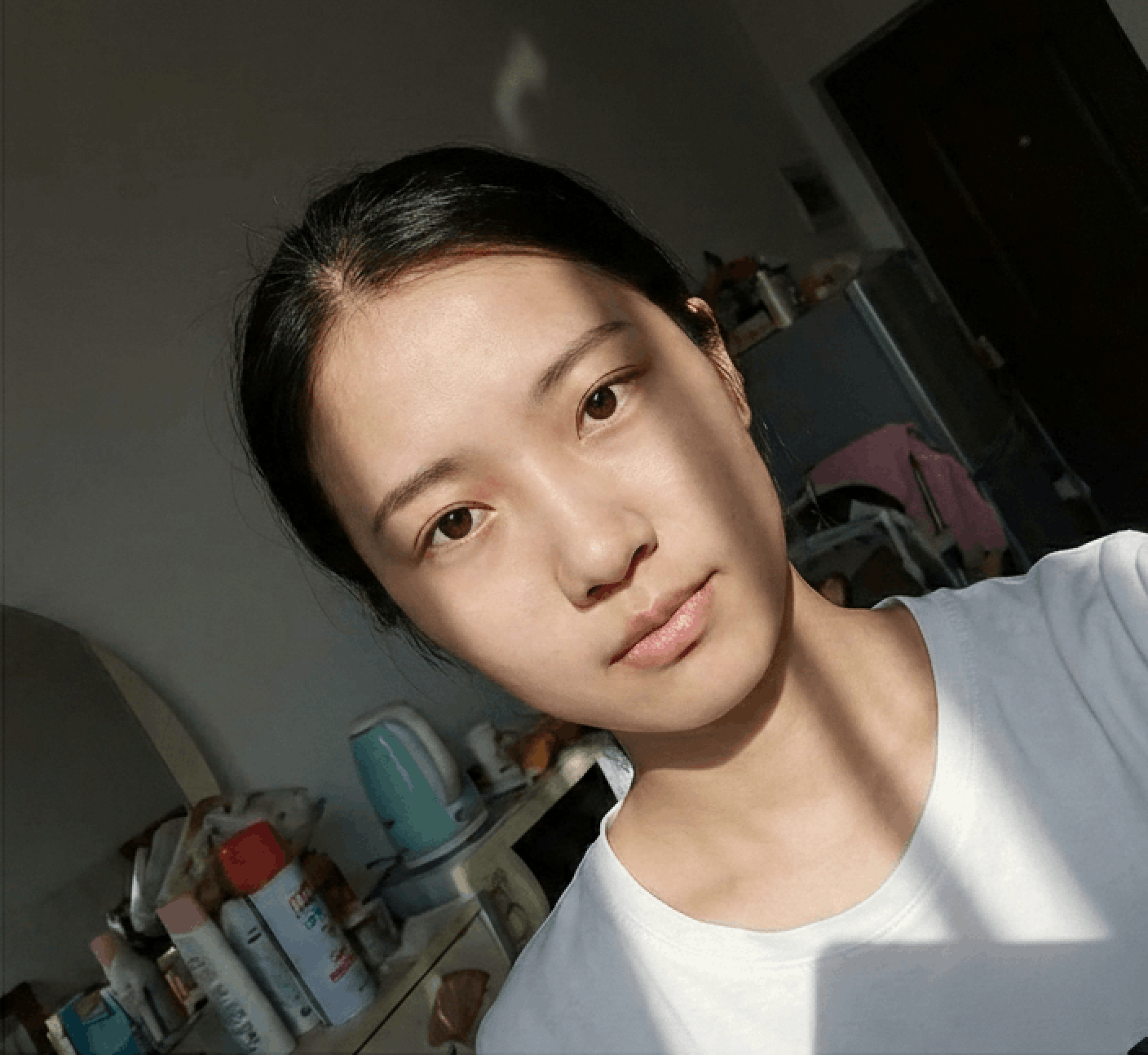
Photo Guidelines
Avoid Selfies
Selfies cause wide-angle distortion. Ask a friend to help or use a tripod/timer.
Dress Code
Wear casual daily clothes. Avoid uniforms. Dark colors contrasting with the background (usually white) are recommended.
Face Visibility
Hair must not cover eyebrows or eyes. No hats/head coverings unless for religious reasons. Glasses should generally be removed.
Common Rejection Reasons
Ensure your photo is accepted the first time by avoiding these common errors.
Bad Lighting
Uneven lighting or strong shadows on the face or background are the most common reasons for rejection.
Glasses & Glare
Glasses often cause glare or hide eyes. Most countries now recommend removing glasses entirely.
Wrong Expression
Smiling or opening mouth is usually forbidden. Maintain a neutral expression with eyes open.
Incorrect Size
Submitting a photo with wrong aspect ratio or low resolution will result in immediate rejection.
Frequently Asked Questions
Can't find the answer you're looking for? Please contact our support team.
Contact Support arrow_forwardUK driving licence photo guidelines
If you want to have the right to drive on motorways and other public roads in the United Kingdom, you need an official document which authorises you to do so. This document is a driving licence and in the UK it can also be used as an ID.
As with all identity documents, a UK driving licence photo must meet strict requirements and be machine-readable. Be sure to read the requirements for a photo that is used on a driving licence and avoid your application not being accepted.
Requirements for a driving licence photo in the UK
There are some rules you must follow while taking a photo that you want to upload with your application form. In a nutshell your picture must:
be a photo of your face taken within the last month, be in colour, show your natural skin colour and facial features, be sharp and in focus, be the required size, be taken on the right background, not be altered by any computer software. Does this sound complicated for you? We assure you there is nothing to be worried about. You can take your photo on your own at a convenient time and place. Just pay attention to the main rules about composition and facial expression (we will explain all those demands in the next few paragraphs) and let us do the rest. Check out our smart photo tool which is ready to resize, crop and correct the background in your photo.
##How to take a perfect ID photo? As UK nationals do not normally have identity cards, a photographic driving licence can also serve a citizen in non-driving contexts, such as opening a bank account or proof of age when buying age-restricted goods such as alcohol or tobacco. This means that you will show your driving licence many times a year and not only to police officers, but also to store employees, bank clerks, your future boss and other people. It is understandable that you want to look attractive in your driving licence photo. Apart from the legal requirements, there are some tips on how to look good in a picture. After reading our article you will know how to:
- pose and look,
- dress and do your hair,
- use lighting correctly,
- adjust the background after taking a picture,
- resize and crop an image,
- avoid the most common mistakes. And the best thing: you will discover how to verify your photo so that you will be 100% sure that it will be accepted and returned to you on a brand-new driving license!
Online photo editor
As mentioned above, photos that are used on a driving licence in the UK must be machine-readable because the government uses computer software in order to validate them. Our online photo app uses smart AI (Artificial Intelligence) in order to check and validate all photos, and if it determines that they will be accepted by the DVLA (Driver and Vehicle Licensing Agency) they will be marked as correct. This is why you can be sure that by utilising our services, in order to edit and validate your photo, you won’t be risking a thing. All pictures bought using our photo making and verifying service have a guarantee that they will be accepted by the authorities. What can our intelligent photo app do for you? Our app is able to:
- resize,
- crop,
- remove an unsuitable background,
- insert a background with the required colour,
- check and inform you if the photo is correct in terms of the rules.
UK driving licence - official requirements
Size and crop
The photo that is on your driving licence must have dimensions of 35mm in width and 45mm in height, but you are not obligated to cut the photograph in order to obtain this size. You may attach a bigger photo and the cutting will be done for you. What is actually important is that your head, plus hair, must fill about 70-80% of the image. This means that the minimum height of your head must be 29mm and the maximum must be 34mm. The crop has to include your head, shoulders and upper body.
Be a good model - posture in the official photo
In these kinds of pictures the right pose is a requirement. The person being photographed has to stand 0.5 metres (1.5 feet) away from the background so as to not let shadows appear and 1.5 metres (5 feet) from the photographer. The photo does not need to be taken in a professional photography studio, so your photographer could be your friend or family member. If you do not have anyone you can ask for help, use a tripod. To pose correctly you must:
sit or stand upright with your head straight, no tilting allowed. look straight at the camera. have a neutral facial expression, no smiling, frowning, grimacing or making any other kind of face. keep your mouth closed and your eyes open. The shot must be front-facing and your face has to be clearly visible. Make sure that your eyes are open and not covered by hair or eyeglass frames. Tinted and dark glasses are forbidden.
Lights and colours
Ask any professional photographer what the best light is and they will tell you: daylight. Natural sunlight exposes the real colours and tones of your skin, hair and eyes. Moreover, it does not cause any glare which will cause rejection of the photo you want to use with your driving licence.
Do you know about the red-eye effect? The red-eye effect is caused when the flash goes off on the camera and causes the light to be reflected back in your eyes, this makes your eyes look red, hence it being called the red-eye effect. More often than not this occurs in low-light situations, which is why a flash is used. This can unfortunately be a reason that your photo is not accepted. This is why it is best to take the photo in natural daylight, facing a window, in order to negate the need for a flash, thus no red-eye effect occurs, and you get the perfect photo that is accepted in a flash.
Remember that your picture must be in colour.
Background requirements
You need to use a light-coloured background with no patterns or textures. Acceptable colours are light-grey and cream. There can be no other people or objects visible behind you and the background has to be free of shadows. It is quite likely that it may be problematic to find such an ideal wall. That is why you should take a look at our background removing photo app.
You don’t need to do anything but upload your picture to the photo app and in one second the wrong background will be removed. You do not even need to know the colour of the required one because our AI changes it automatically into a light-grey or cream background for you.
Glasses
Whilst you are allowed to wear your glasses when taking your driving licence photo, it is best to take them off as the glass can cause glare and/or reflections in the photo, and as your eyes must be fully visible it is best to avoid this. However, when it comes to sunglasses and tinted glasses, they are absolutely forbidden, and don’t even think about putting them on your head, as though they are a hair accessory, as this is not allowed either.
If you do decide against following our advice then you must be sure that the frames of your glasses must not obscure your eyes in any way because, as we said above, your eyes must be fully visible.
Am I allowed to wear my hijab or any other headwear in the photo?
Yes, you can wear your hijab, yarmulke, or any other head coverings that are worn for religious purposes, but you must be sure that they are pulled back and to the side so that your entire face is on show, for recognition. When it comes to any head covering or headwear worn for medical reasons you are also allowed to wear them in the UK driving licence photo, but the same rules apply for showing your full face. However, any other kind of headwear that is worn strictly for fashion purposes, is strictly forbidden, you are not allowed to wear anything like a hat, baseball cap, scarf etc.
Jewellery and piercings
Many people applying for a new driving licence, or a renewal of one, have facial piercings and may be wondering whether or not they have to remove them for the photo. Fear not, as you do not have to and may keep them on, as long as they do not give off any glare in the photo.
Jewellery is very much the same as facial piercing, albeit with some caveats. If you choose to wear jewellery in your photo you can wear earrings, but be sure that they are small and do not give off any glare. Do not wear large earrings, e.g. large hooped earrings, as they may cover your face or cast shadows, this is unacceptable. So if you do wear large earrings, be sure to take them off before the photo is taken.
How to dress in the photo?
There is no requirement concerning the clothes you may and may not be wearing whilst taking a UK driving licence picture. But we have some tips that have been very much appreciated by many of our clients all over the world. A good practice is:
wear something casual or elegant (V-neck dress, collar shirt). choose colours darker than the background for better contrast. not to wear a turtleneck as it does not look attractive once it has been cropped. not to wear a tank top as you will look as though you are naked in the photo.
Hairstyle and beard
If you are a bearded man you do not need to shave yourself just to pose for this photograph. A beard is allowed but you may be asked to send a new picture if your face is unrecognisable. There are no rules about hairstyle and you may have your hair down but make sure that it does not obscure your face. If you have a fringe, it must not be longer than your eyebrow line. This is because both of your pupils must be clearly visible.
Most commonly made mistakes
If you want to get your driving licence quickly, remember that incorrect photos are the main reason for rejection every year. Regardless of whether you uploaded a digital photo or submitted a printed one, beware of errors. The most common of them are:
wrong pose (head tilted or sight directed away from the camera), smiling or open mouth, wrong background, bad quality of the photo (picture not sharp or in focus, overexposed or underexposed), poor quality of the paper (photos printed on home inkjet printer).
Photo validation
The UK driving license photo rules are not long but must be strictly obeyed. If you are not sure whether your photograph is correct or not, do not risk rejection. You can upload it to our online photo maker and let the AI technology verify it. All you need to do is download our app on your phone and follow the short instructions.
Photo app for iPhone
You can use your iPhone or iPad to take a picture (using a webcam is not allowed). It is convenient, can save you time and money, and is really easy to do.. Search for our app in the AppStore, download it and move to action.
Photo app for Android
If you have an Android system you can download the photo app from the Google Play Store. It is fully compatible with Samsung, LG, Huawei, HTC, Lenovo and Sony smartphones.
100% satisfaction guarantee
Not everybody likes to drive around, look for parking spaces in front of the shopping centre or wait in queues. Doing all of this can turn a simple task into a rather arduous one, especially when we factor in needing to get ready by getting dressed, sorting your hair out and putting makeup on. This can all feel especially deflating when the photographer tells you that they can only take three photos, and all of your effort was for naught. We can’t imagine that anybody would like this at all, which is why we have the perfect tool for you, our photo editor, which will::
- create an ideal photo with a guarantee of acceptance.
- enable you to not take the risk that for some reason your photo will be rejected, because if it is we will return your money.
- save you money because our service is much cheaper than a visit to a photography studio or photo booth.
- save you time as you can prepare the picture in a couple of seconds.
- let you take unlimited photos so that you can pick the one you like the best.
Digital or paper - it is up to you
You can choose the way you send in your application form. The rules for digital and paper photos are exactly the same. The only additional point for paper pictures is that you are obligated to print it on a high quality paper, such as photos printed by a booth or studio. Images printed on home inkjet printers are unlikely to be of a high enough quality.
UK driving licence photo template you can print in a store
Once you buy a photo on our site, you will receive it ready to print and you will have a photo template that you can use as many times as you wish, for example for passport applications, office ID cards etc. You can print your photos many times in a photo kiosk near you or order them to be delivered to your home address.
Best prices
Getting your photo edited and evaluated with us saves you money because we can offer you a complete service for a small part of the price that you will find in professional photo booths and the quality of the photo will be exactly the same. So, be sure that you don’t overpay and sort out your UK driving licence photos with us.
Sources:
https://dvaonline.nidirect.gov.uk/Customer
https://www.gov.uk/browse/driving/driving-licences